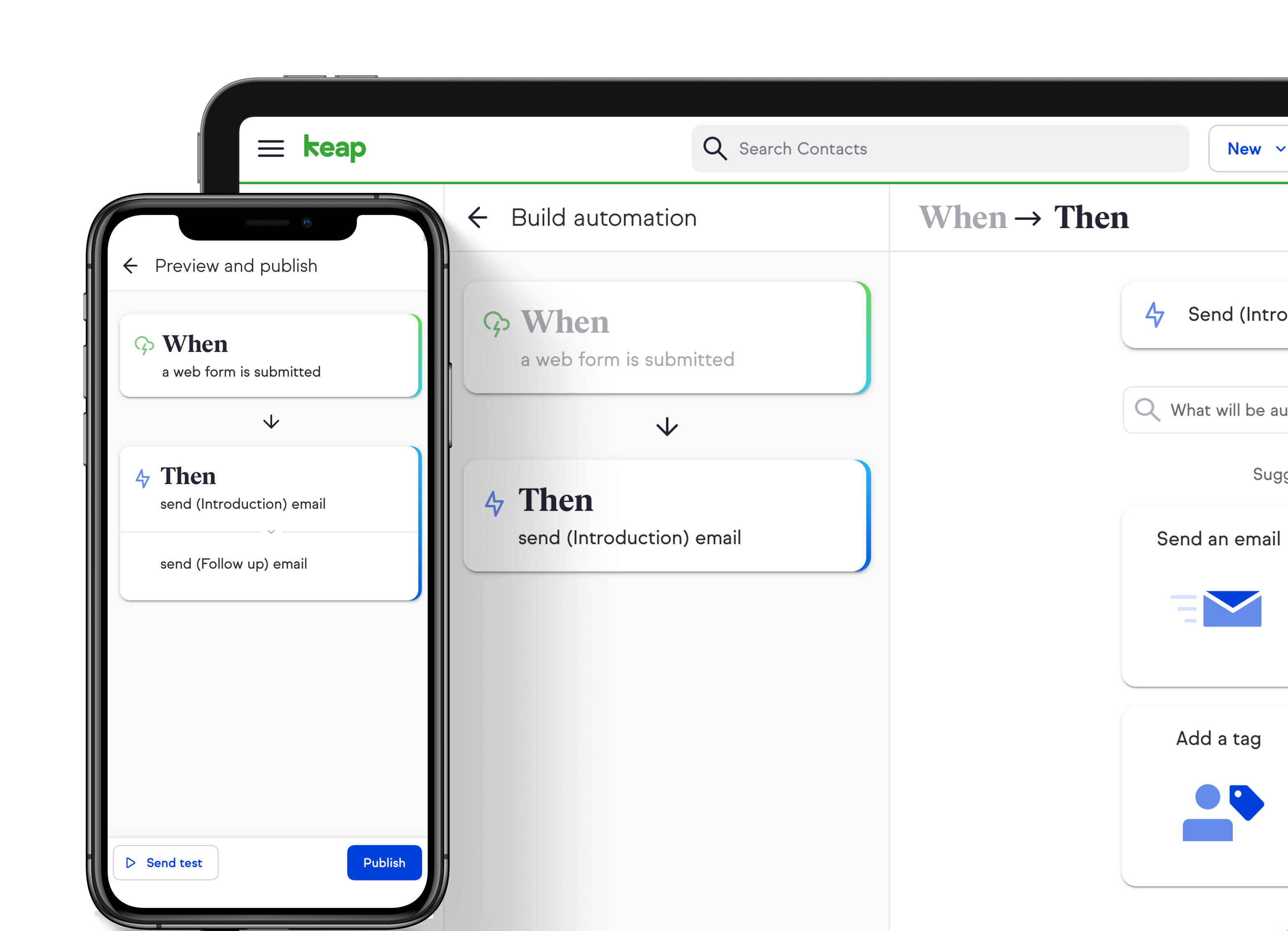
Rebuilt the automation builder so small business owners can create workflows in under 5 clicks.
Keap is an all-in-one CRM, sales, and marketing automation software for small businesses.
Easy automation is an automation tool that allows small business owners to build workflow and marketing automation. As the name suggests, it takes less than five clicks to create most of the common automation used by small businesses!
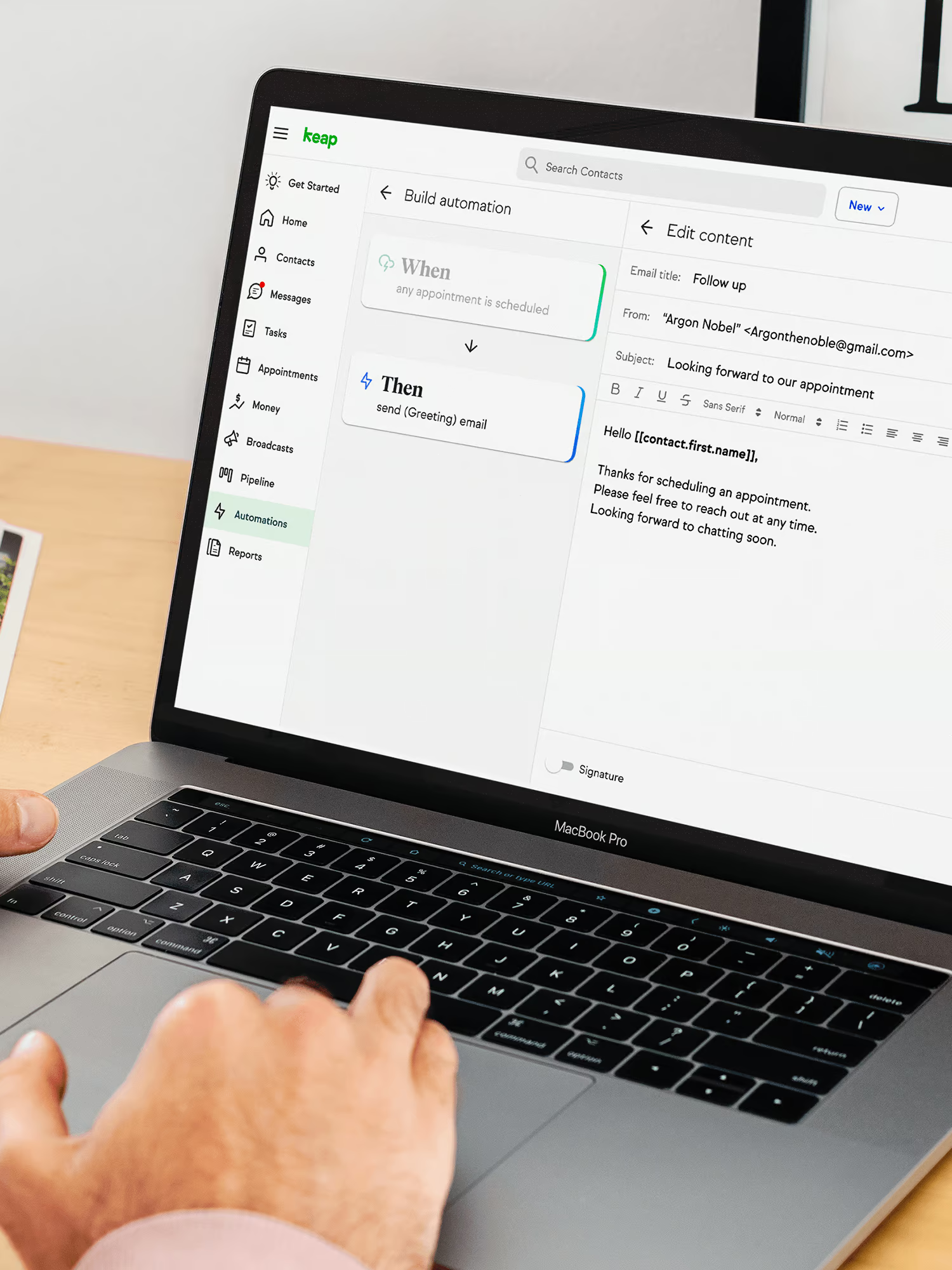
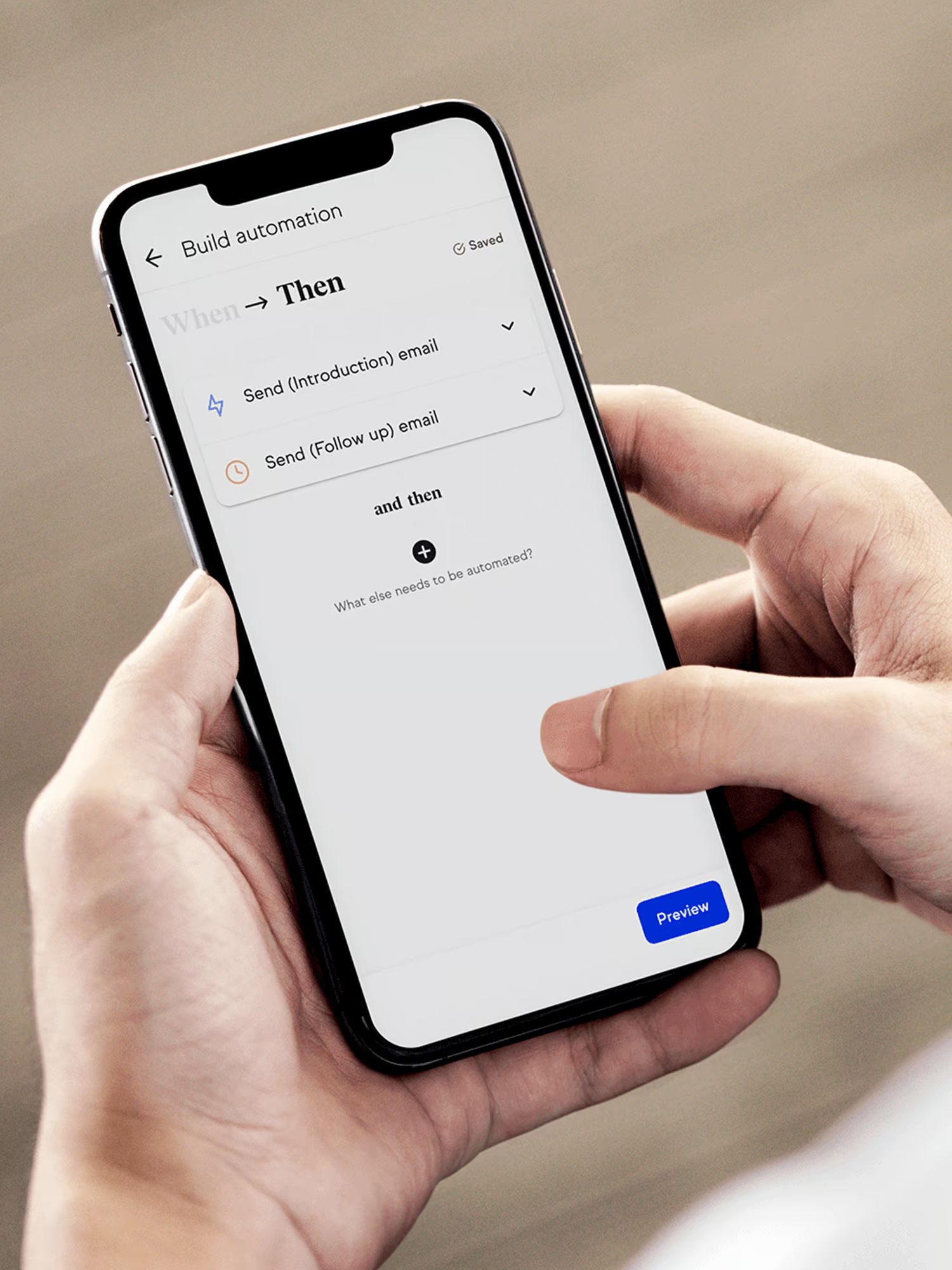
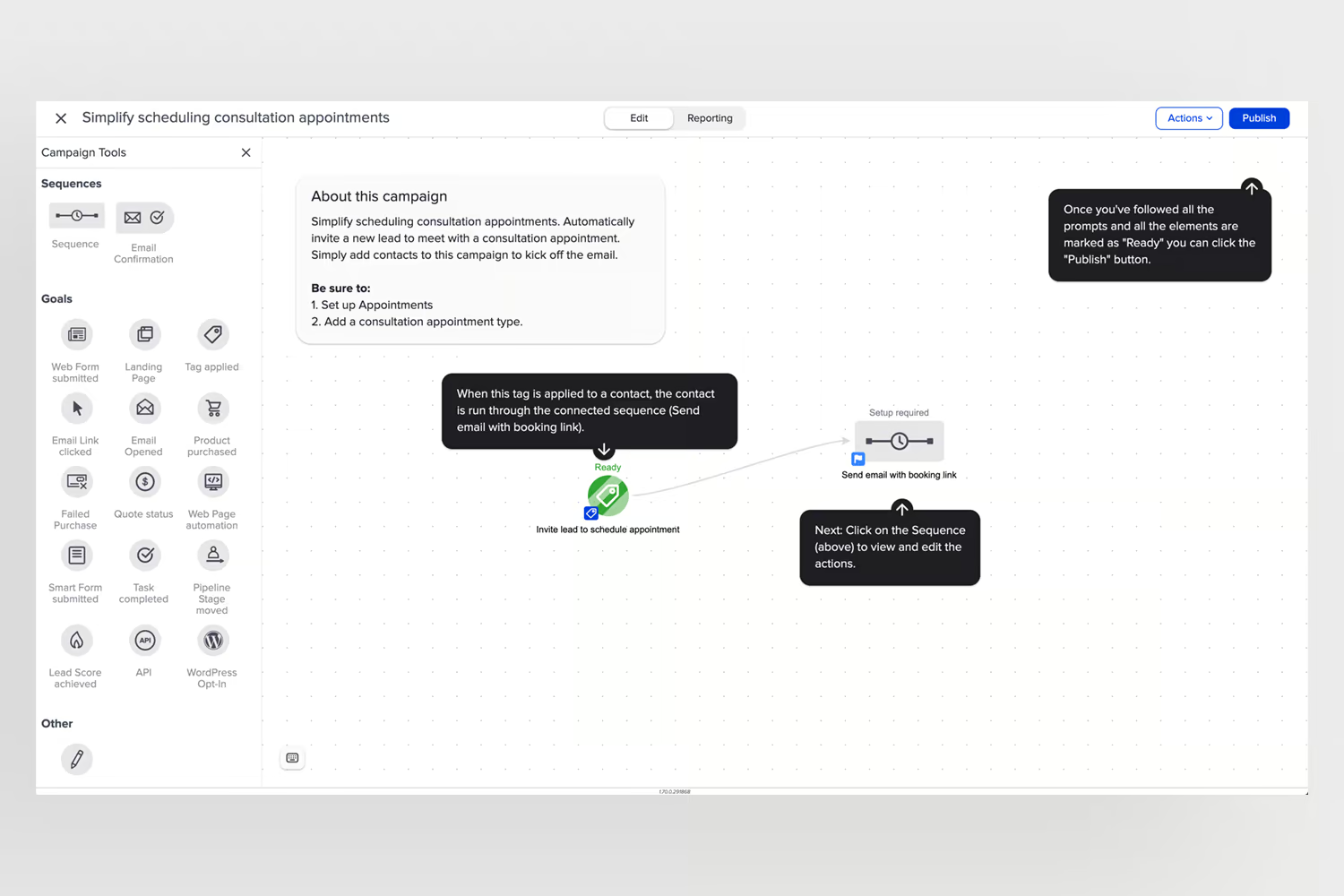
Keap is a simpler, more accessible version of Infusionsoft, an advanced CRM tool with a plethora of features. The campaign builder is the automation creation tool on Infusionsoft, which lets you create a fairly advanced workflow and marketing automation.
Since we built Keap fairly recently, a lot of its core is borrowed from Infusionsoft. To make automations, we still drive our users to campaign builder. One of the key challenges here is that our target users are very different for Keap compared to Infusionsoft. This means we have to build a solution that is more suited to the users of Keap.
To better understand our user needs, we conducted a moderated usability study and talked to customers to identify pain points and areas of opportunity in the original campaign builder.
Some of the high-level insights we found were:
We started with the idea of what the ideal automation tool would look like. There were several questions we asked ourselves during the process such as “What is a user currently automating for their business?”, “What is the context in which they are building automation?”, “What are the key tasks in their workflows that take significant time?”
We framed the problem statement to guide us throughout the process:
“As a user, I'd like to automate parts of my business to spend more time serving customers and interacting with them.”
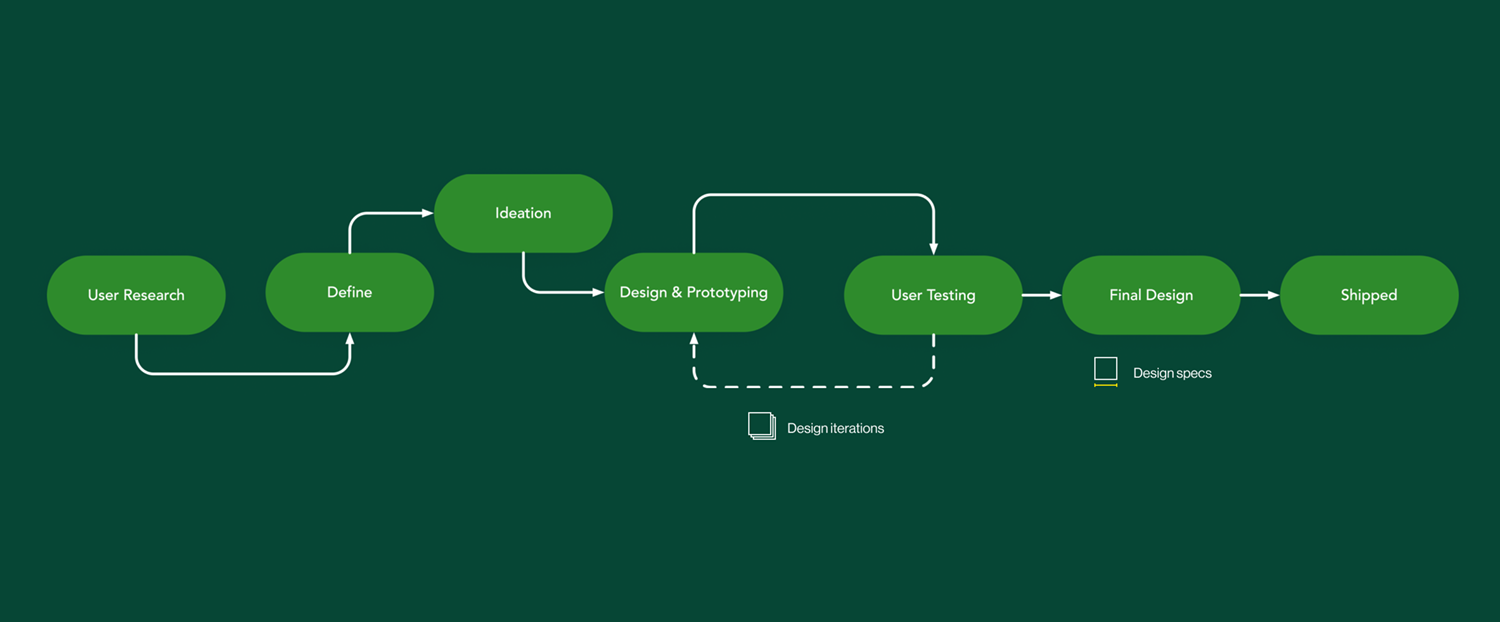
Here is a quick snapshot of how the entire design process looked.
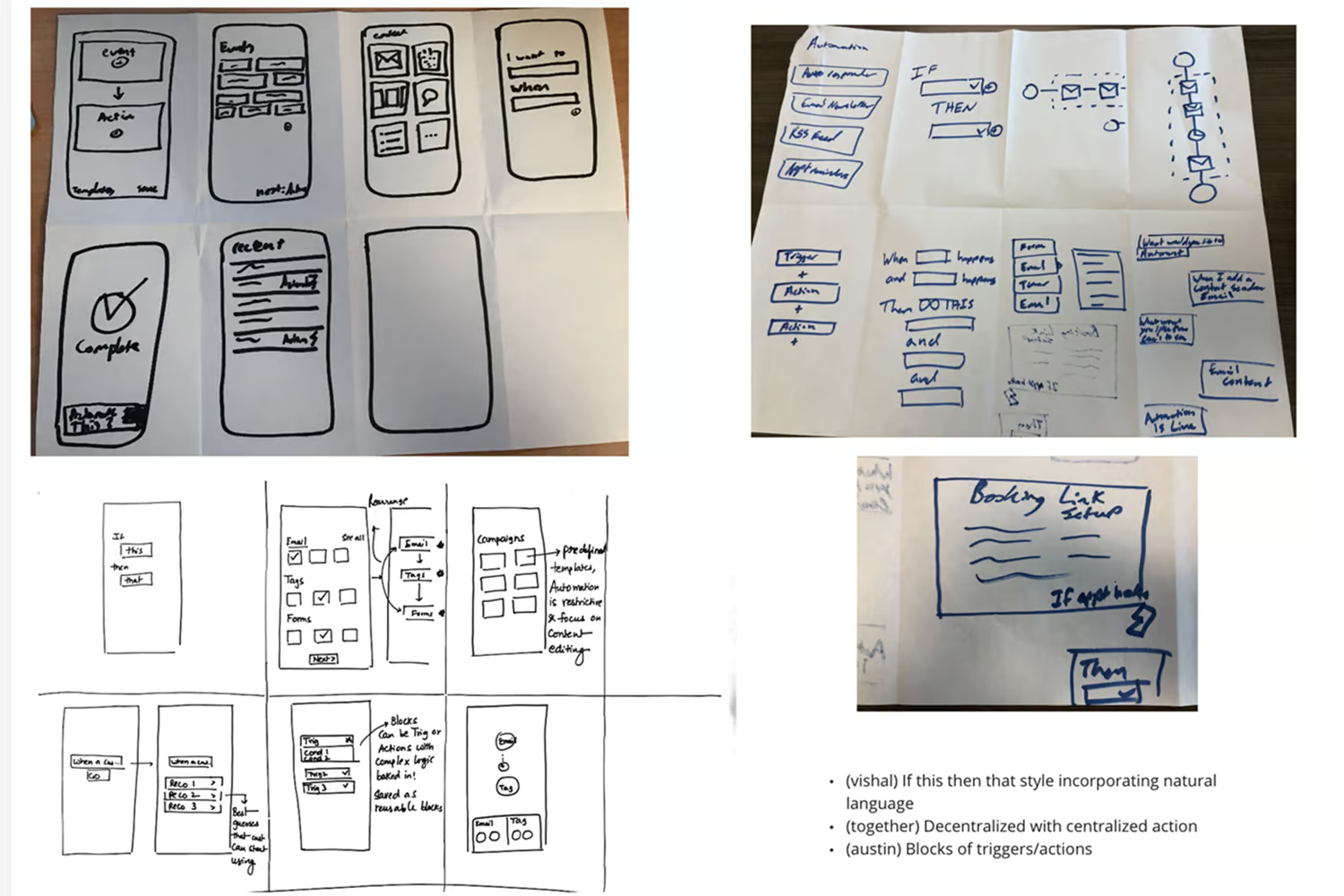
We brainstormed as many divergent ideas as we could through multiple rounds of sketching sessions (Crazy 8s). To challenge ourselves further, we set out to imagine this experience mobile-first. The mobile-first approach guided us in distilling to only the essential elements that make an automation builder experience.
The common themes that emerged were:
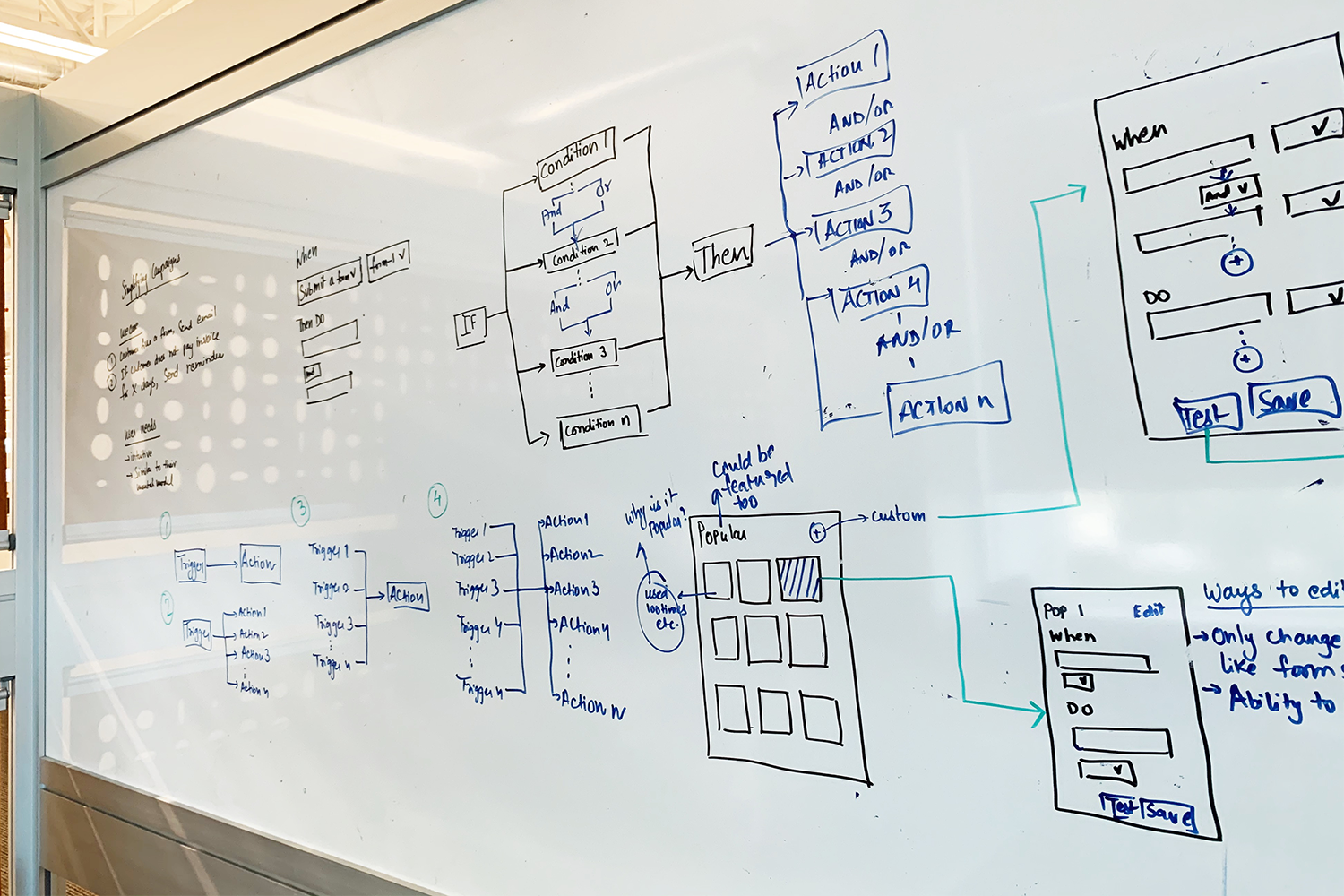
Throughout the iterations, we ran several rounds of user tests to validate our design direction and adjust accordingly. We also did several in-person user tests with developers. This was valuable to map out technical constraints early.
We learned from the user tests that templates were critical in not only helping kickstart creating automation but also as a reference point for what's possible with the tool. Additionally, we also found that users build automation in bursts of time, disproving our initial hunch that users build automations in one go.
With the user tests, we also appended a survey to collect quantitative usability metrics. Our first test resulted in a SUS (System Usability Score) of 68/100, the final test after several rounds of design refinements resulted in a SUS of 98/100.
Working with the Product Manager, we mapped out the product release timeline and initial release experience. We also identified nice-to-haves that we fit in as our stretch goals. Working with developers, we identified different parts of the project that would take significant engineering effort to plan the release and prioritize work for the V1 release, as well as a roadmap to the ideal state.
We ran additional user and internal tests to further validate the design for the V1 release.
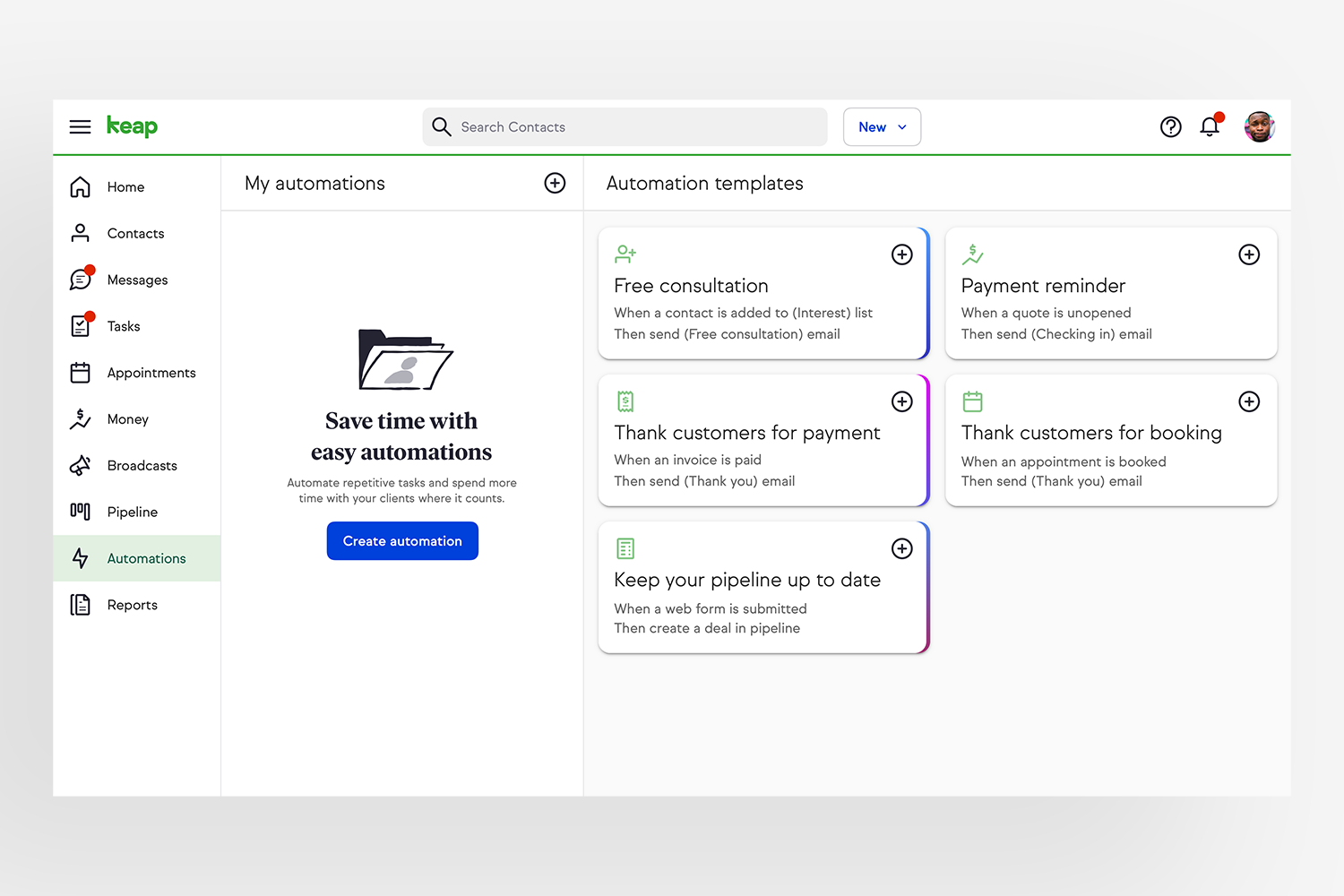
This is a limited preview of the designs to comply with the non-disclosure agreement.
The new design brings commonly used templates to the front, enabling users to start tweaking them to fit their needs.
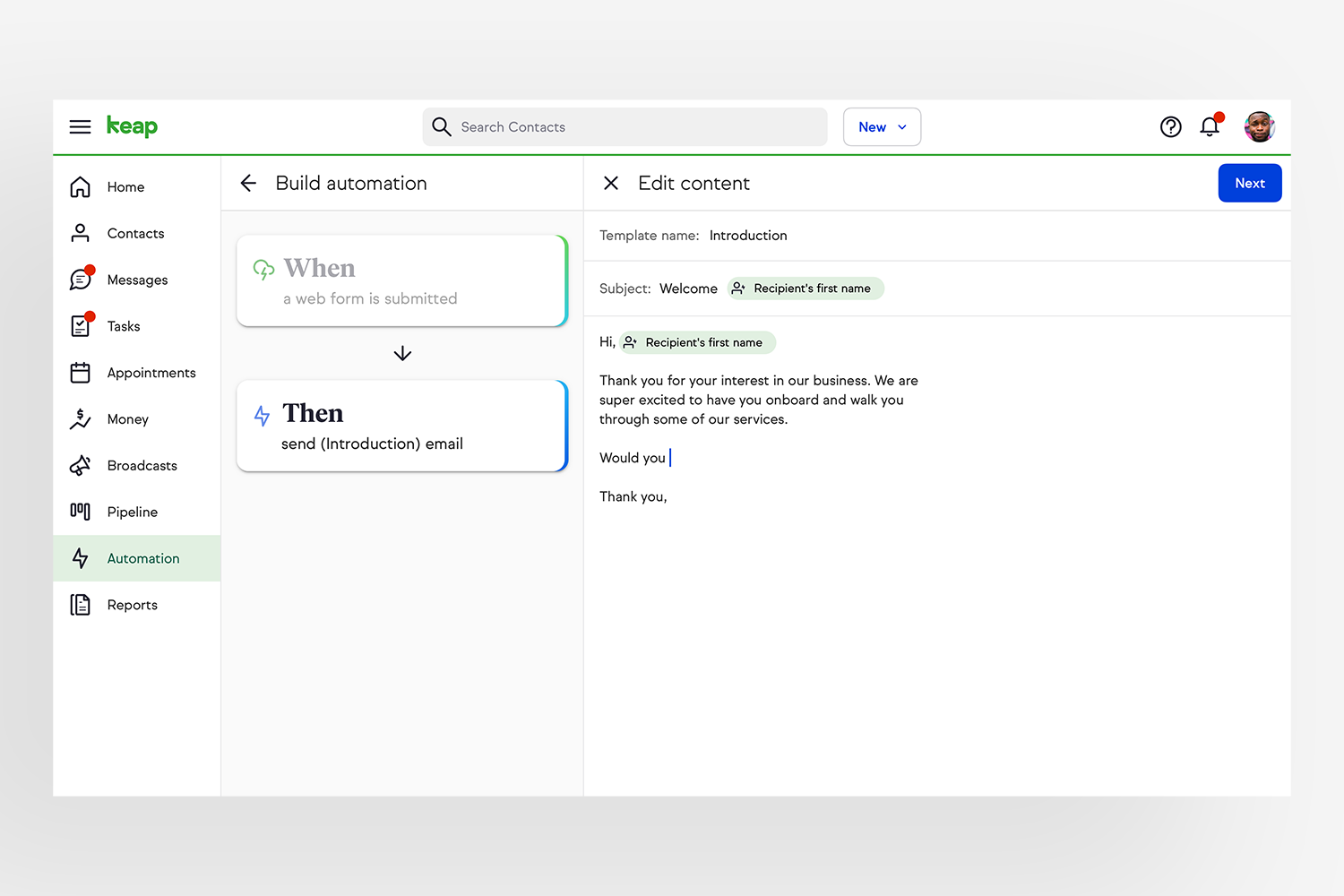
The creation flow is simple, yet offers autonomy to change any part of the automation at any time. The side-pane gives a quick overview of how the automation is structured, while the right pane gives granular configurable options.
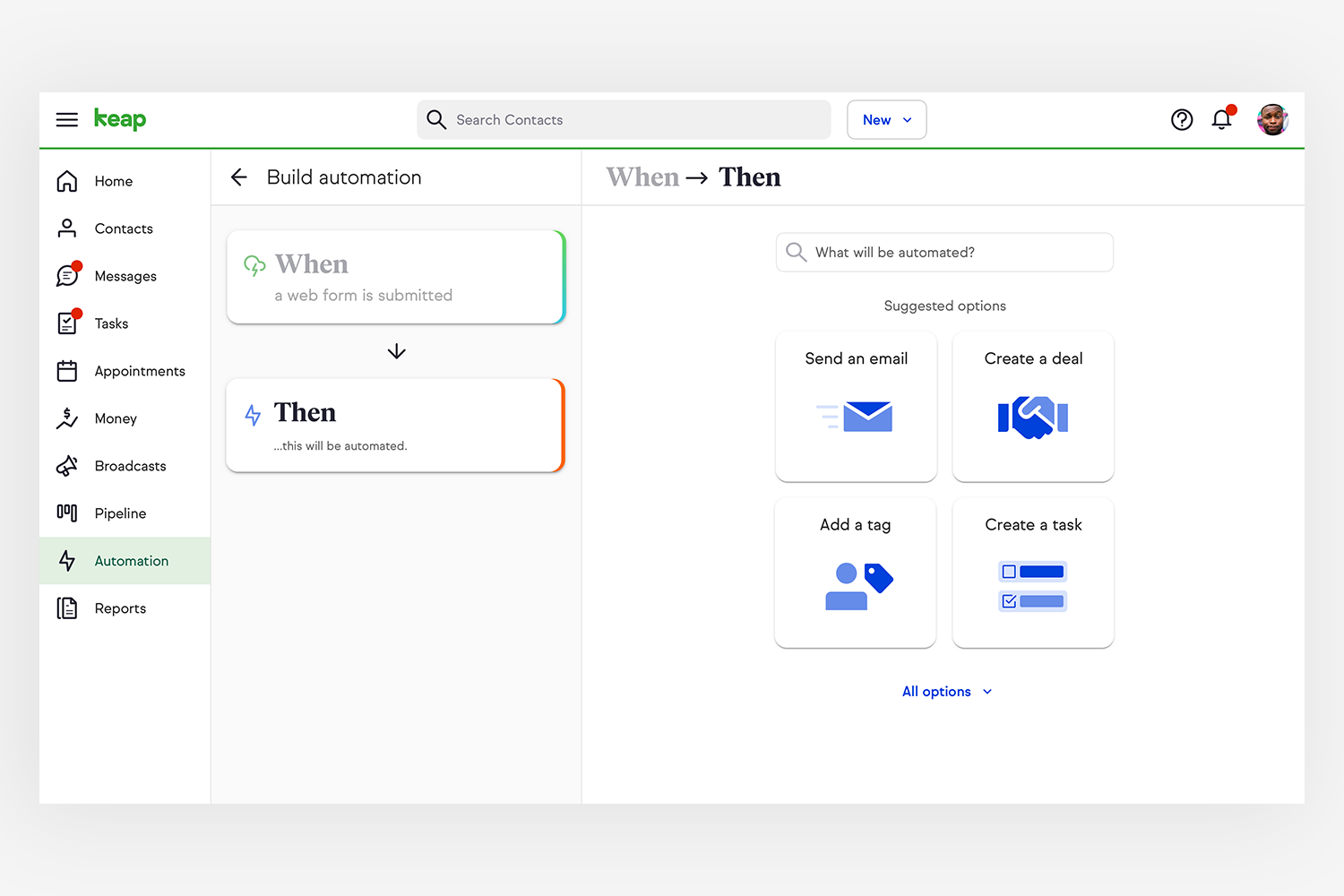
The automation builder adjusts automatically depending on the trigger type to offer ample space to draft and edit, yet never losing sight of the entire automation.
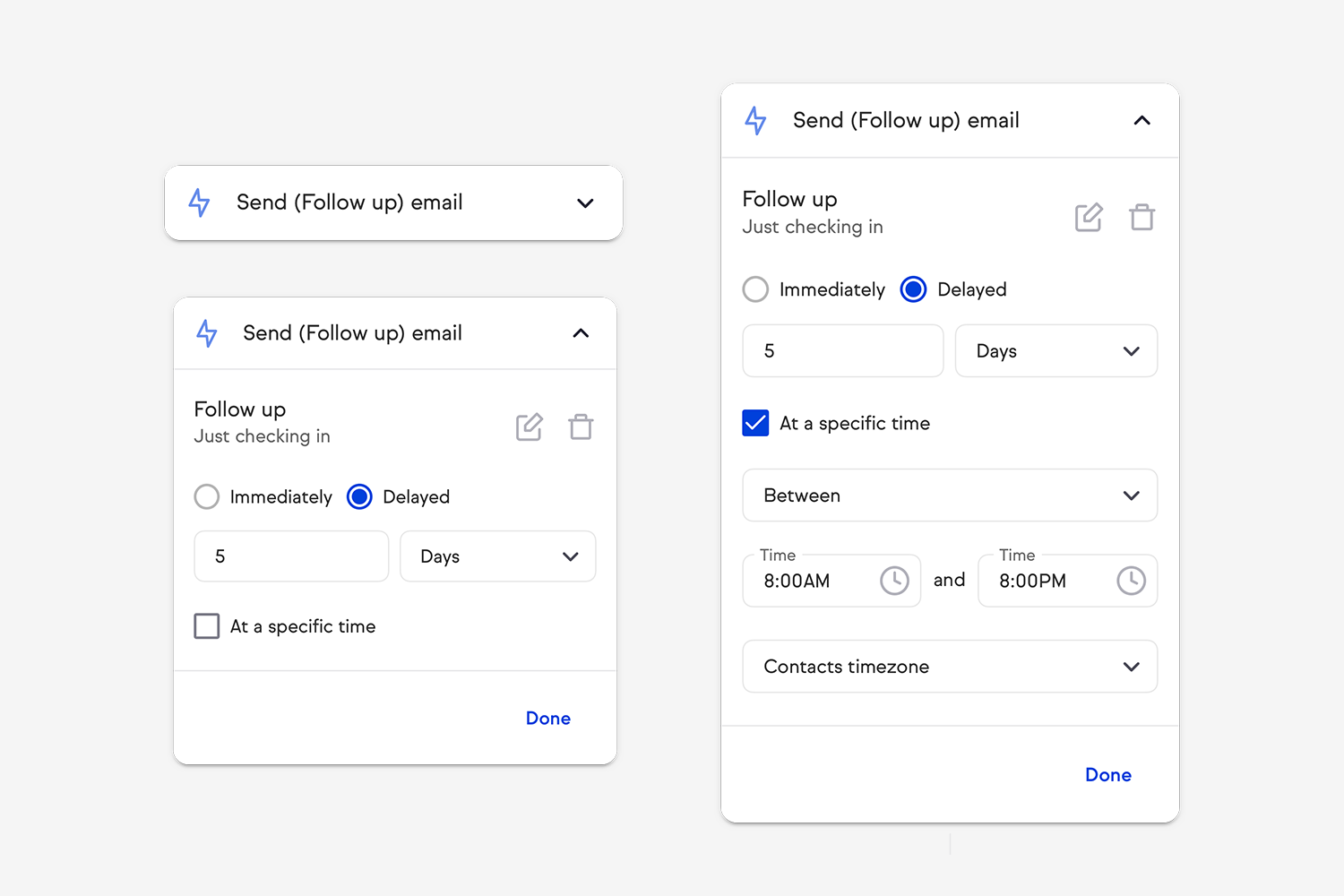
Configurable options start simple with the most prominent options. Progressive disclosure brings additional options only when the users need them.
Since the launch in early 2020, we have had a steady increase in users building automations month on month. The user feedback has been largely positive, emphasizing the ease of building automation.
Furthermore, we noticed a significant improvement in the average time to create an automation unassisted. It reduced by 51.47%.
“I am doing the happy dance!!”
Customer feedback
We also received great feedback from internal support staff and small business consultants who found that the time to onboard and coach has reduced significantly.
“From a sales perspective, they are dead simple to set up and show. Customers get it in seconds and they're easy — but they're also pretty powerful.”
Small Business Consultant
Perpetually in a state of beginner's mind.